
Steam Favorite Servers is a feature within the Steam gaming platform that allows users to save and easily access their preferred game servers. By adding servers from the TwistedServers Games panel to their favorites list, players can quickly join their preferred servers without having to search for them each time manually. This feature is handy for multiplayer games where players may have specific servers they prefer due to factors such as location, player community, or game settings.
How to Add a Server to Steam Favorites
1. Log in to the TwistedServers Games panel.
2. Under Connect via Steam, copy the server's IP:Port.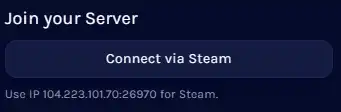
3. If the game does not have Connect via Steam, copy the server's IP:Port on the Home tab.
4. Log in to Steam.
5. Select View on the top left.
6. Choose Game Servers.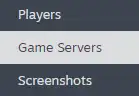
7. Click on the Favorites tab.
8. Press the plus icon on the bottom right.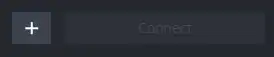
9. Paste the game server's IP:Port.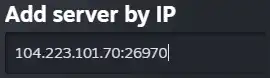
10. Click OK.
Most Popular Articles
How to add sub-users on the Games panel
Adding sub-users on the Twisted Servers Games panel is a valuable administrative feature that...
How to allocate a port on the Games panel
Allocating a port on the Twisted Servers Games panel allows efficient network traffic management...
How to change the password on the Games panel
Changing the password on the Twisted Servers Games panel is a crucial security measure for server...
How to configure an SFTP client for Game servers
SFTP, or Secure File Transfer Protocol, is a secure and encrypted method for managing...
