
Recommended Services


Supported Scripts
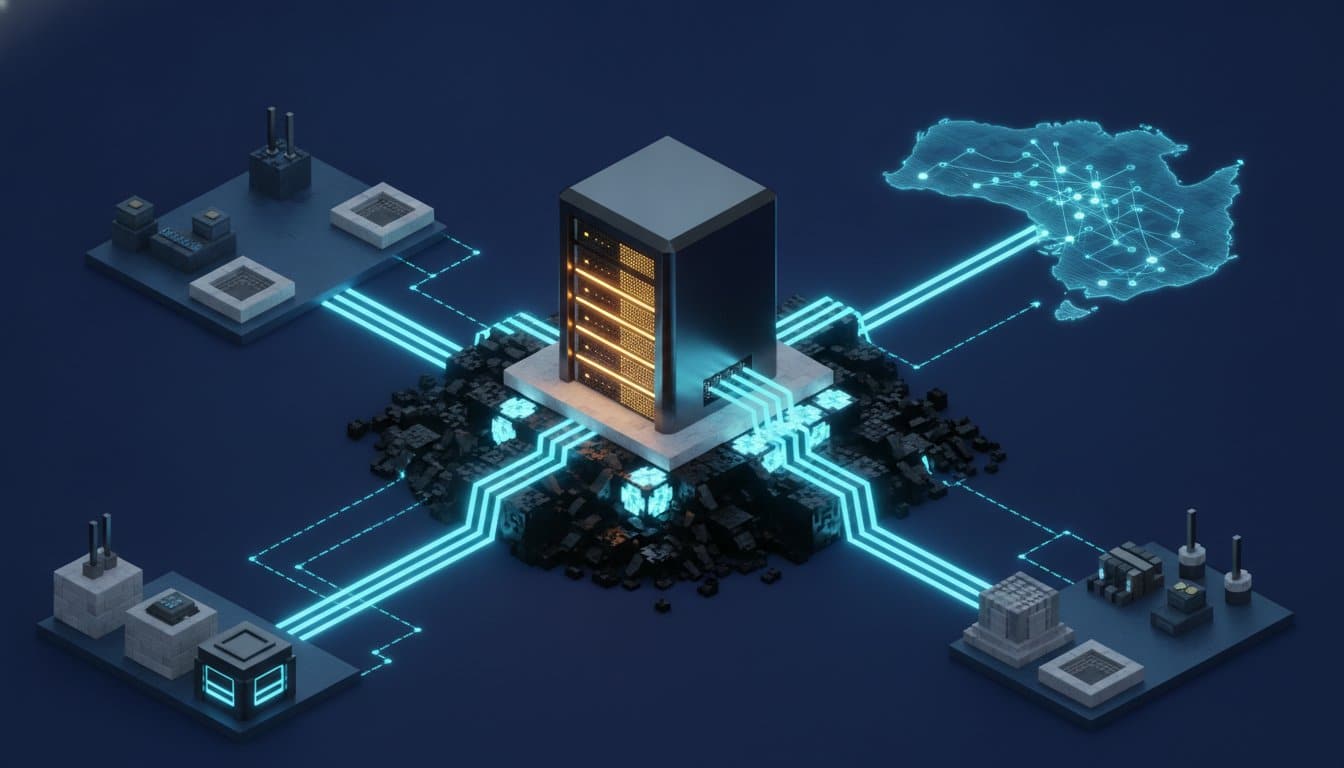

There is nothing more frustrating than a perfectly timed creeper encounter being ruined by a three-second lag spike because your connection is bouncing off a data centre in Los Angeles. We understand that for many Australian players, the dream of running a private world often feels out of reach due to high latency and the confusing technical jargon surrounding RAM requirements or port forwarding. You shouldn’t need a degree in network engineering just to enjoy a smooth multiplayer session with your mates.
This guide will show you exactly how to host minecraft server environments that are stable, secure, and tailored specifically for our local conditions. Whether you are looking to run the latest 26.2 stable release or experiment with the newest snapshots, we provide the clarity you need to take full control of your gaming experience. We will walk you through the essential steps to manage your player list, install complex modpacks with ease, and implement robust DDoS protection. By the end of this article, you will have the confidence to maintain a high-performance home for your community without the stress of overseas lag or hidden technical hurdles.
Key Takeaways
- Understand how hosting your own world provides complete control over game rules, player access, and custom mod installations.
- Learn why professional local infrastructure is the most reliable way to host minecraft server environments without the hardware strain of a home-run setup.
- Identify the specific RAM and CPU requirements needed to support your community and prevent performance bottlenecks as your world grows.
- Discover the importance of selecting Australian-based data centres to ensure low latency and a responsive experience for local players.
- Follow a simplified step-by-step process to configure, manage, and optimise your server for a lag-free multiplayer journey.
What Does it Mean to Host a Minecraft Server?
At its core, a Minecraft server is a digital space where the rules of the game are dictated by you rather than a pre-set algorithm. When exploring What is a Minecraft server?, you will find it is essentially a persistent instance of the game that allows players from different locations to connect and build together in real time. Unlike a single-player world, a server acts as a central hub that remains active even when you are not playing. This ensures that your community can continue to thrive without your constant presence.
Persistence is the defining feature of a dedicated setup. In a standard local world, the game shuts down the moment the host logs off. By choosing to host minecraft server environments on professional hardware, the world stays online 24/7. This means your mates across the country can log in to finish a communal build while you are at work, or your group can gather resources at any hour of the day without needing to coordinate with a single device owner.
There is also a significant difference between a local world and a dedicated server. A local world relies entirely on your personal computer and your home NBN connection to handle every player’s actions. This often leads to significant lag and hardware strain. A dedicated server offloads this technical burden to high-performance infrastructure, providing a stable platform designed specifically for multiplayer traffic and complex world calculations.
The Benefits of Private Hosting
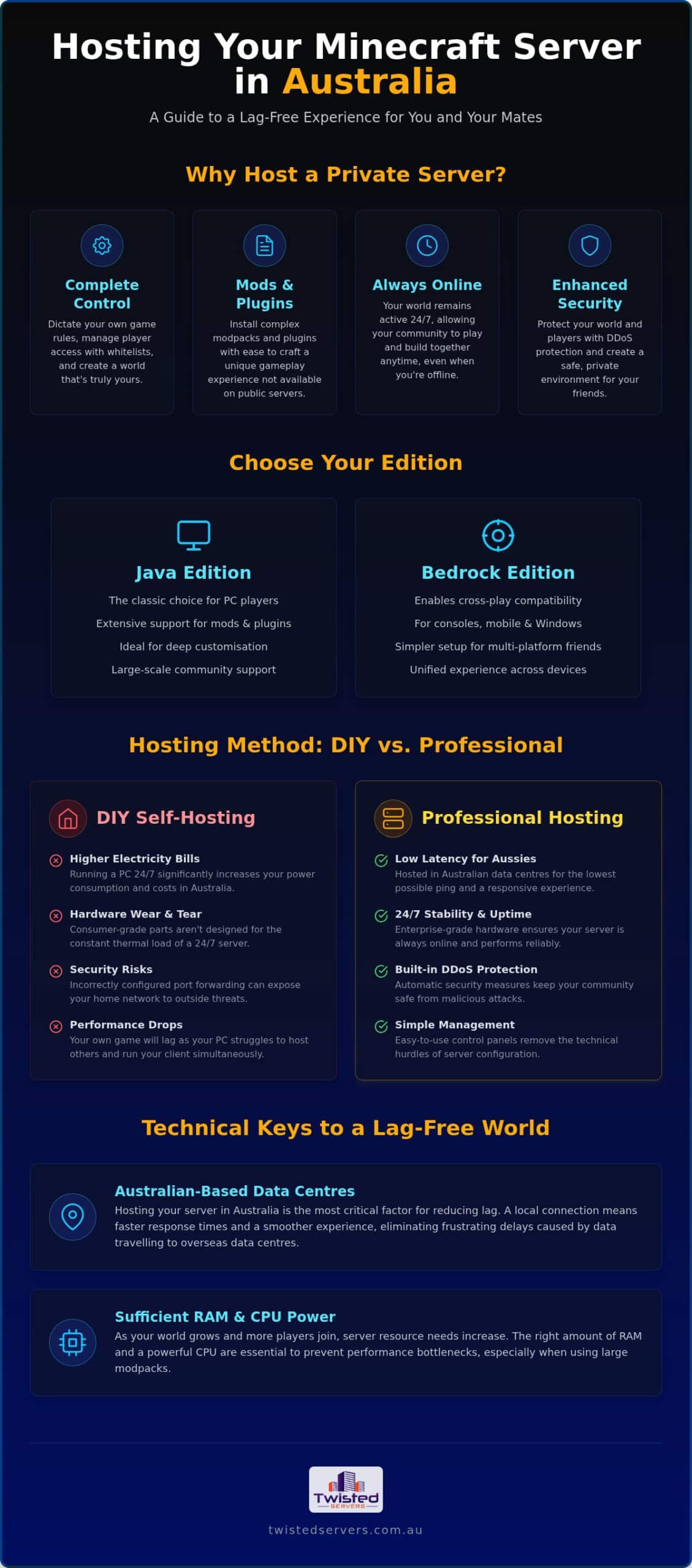
Private hosting empowers you to curate the exact experience you want for your players. You aren’t just playing the game; you are managing a unique community. This allows you to customise your gameplay with unique mods, plugins, and custom maps that aren’t available in the vanilla version. It also provides a vital layer of security and moderation. You can whitelist specific users to create a safe environment for younger players or friend groups, ensuring that your progress is permanently saved and protected from external risks.
Java Edition vs. Bedrock Edition Hosting
Before you begin, you must decide which version of the game your community will use. Java Edition remains the traditional choice for PC players who value deep customisation, technical mods, and large-scale community plugins. Bedrock Edition is the cross-play compatible version designed for consoles, mobile devices, and Windows 10. Because these two versions are generally not compatible, your decision to host minecraft server software must match the platform your friends are playing on to ensure everyone can connect without issues.
Choosing Your Hosting Method: DIY vs. Professional Host
Deciding how to host minecraft server sessions for your group usually comes down to a choice between using your own hardware or renting space from a provider. While the idea of a “free” home-run server is appealing, the reality often involves hidden compromises that impact both your gameplay and your wallet. We believe in providing a clear picture of these options so you can make an informed choice for your community.
Running a server 24/7 on a home PC introduces significant wear on your components and a noticeable increase in your quarterly electricity bill. In Australia, where energy costs are a frequent concern, the expense of keeping a high-performance machine powered around the clock can quickly exceed the monthly cost of a professional hosting plan. You also have to consider the “hardware debt” being created; consumer-grade parts aren’t always designed for the constant thermal load of hosting multiple players. For massive communities that require absolute stability and resource isolation, moving to a dedicated server is often the only way to maintain a professional standard of performance without compromising on speed.
Self-Hosting on a Home Computer
Using your own PC requires a robust processor and a high-speed NBN connection with plenty of upload bandwidth. One major hurdle is port forwarding; this technical process opens a gateway in your router to allow external players in. Unfortunately, this can expose your home network to security risks if not managed correctly. Following the eSafety guidelines for Minecraft is essential here to protect your privacy and ensure a secure environment for all participants. You may also notice your own game performance drops significantly when the same machine is trying to process world data and render your graphics simultaneously. This often results in “stuttering” that ruins the experience for you and your guests.
The Professional Hosting Advantage
Professional services remove the technical guesswork through instant setup and intuitive control panels. Instead of spending hours troubleshooting configuration files, you can be online in minutes. These platforms include enterprise-grade DDoS protection, which is vital for preventing malicious attacks from knocking your home internet offline. Perhaps the greatest benefit is the 24/7 uptime; your world stays active even when your computer is off, allowing your community to grow at its own pace. If you are ready to skip the technical headaches, our Australian game server hosting provides a streamlined, local solution designed for peak performance.
Technical Requirements for a Lag-Free World
To successfully host minecraft server environments that remain fluid as your world expands, you need a clear understanding of the hardware powering your blocks. Minecraft is deceptively resource-heavy. While the graphics appear simple, the underlying calculations for physics, entity AI, and world generation require specific hardware strengths. Balancing these components is the secret to a professional-grade experience that won’t stutter when things get busy.
Central to this performance is your processor. Minecraft’s server software is primarily single-threaded, which means it relies heavily on the speed of a single CPU core rather than spreading the load across many. High clock speeds are far more valuable than high core counts in this context. Additionally, your storage choice dictates how quickly the world can “draw” itself as you move. We utilise NVMe SSDs because they offer the rapid read and write speeds necessary for fast world loading and seamless chunk rendering, preventing the frustrating “void” gaps that occur on slower drives.
Estimating Your RAM Needs
RAM functions as the short-term memory of your server, managing every active entity and loaded chunk in real-time. If you are running a standard Vanilla Minecraft experience for a small group of 1 to 5 players, 2GB to 3GB of RAM is typically sufficient for stable play. However, the requirements climb quickly once you introduce complexity. For modded Minecraft or larger communities, you will likely need 4GB to 8GB or more, depending on the specific modpack and player count. Modern versions of the game are increasingly memory-intensive, so providing a little extra overhead ensures your server doesn’t crash during intensive activities like TNT explosions or large-scale farming. If you also enjoy survival games with your group, understanding RAM demands is equally important for enshrouded server hosting australia, where fully destructible voxel worlds place even heavier demands on your allocated resources.
Why Latency and Ping Define Your Experience
Ping represents the time, measured in milliseconds, for data to travel from your device to the server and back again. When this number is high, you will experience “rubber-banding,” where your character snaps back to a previous location or blocks you’ve broken suddenly reappear. This lag ruins competitive combat and makes precise building impossible. Opting for local game server hosting is the most effective way to keep these numbers low for Australian players. By keeping the data within local infrastructure, you ensure that every action you take in the game is reflected almost instantly, providing the responsive feel that a high-quality community deserves.
Step-by-Step: How to Set Up Your Minecraft Server
Transitioning from a solo player to a community leader begins with a few logical steps. When you choose to host minecraft server environments using a professional platform, you skip the complex command-line installations that often frustrate beginners. The process is designed to be methodical, ensuring you have the right resources before you ever place your first block.
Your journey starts by selecting a plan that matches your intended player count and complexity. Once the plan is active, selecting an Australian location is the most important step for maintaining the low latency we discussed previously. From there, you must choose your server version. This is a critical junction: Java Edition is the standard for PC players who want deep customisation, while Bedrock Edition is required if your friends are joining from consoles or mobile devices. For those on Java who want a smooth experience without heavy mods, we recommend Paper as it significantly optimises game performance.
After your version is set, you can use the control panel to customise settings like difficulty, world seed, or game mode. Once you hit start, simply share your unique Server IP with your group to begin your adventure together.
Installing Mods and Plugins
Understanding the difference between mods and plugins will save you hours of troubleshooting. Plugins are server-side only, meaning your friends don’t need to install anything extra to benefit from features like economy systems or protected land. Mods, however, require both the server and the player’s computer to run the same files. We provide one-click installers for popular modpacks like RLcraft or SkyFactory to make this transition seamless. For those who want granular control, you can manage your files safely using FTP to upload custom configurations or world saves.
Basic Server Management
Running a successful community requires active oversight and security. We recommend setting up an “allowlist,” often called a whitelist, to ensure only your approved mates can access the world. You can also assign “Op” (Operator) status to trusted players, giving them the ability to moderate the game and help manage the community. To protect your hard work, ensure you are organising regular automatic backups. This simple step provides peace of mind, knowing your world can be restored quickly if a file becomes corrupted or a build goes wrong. Ready to get started? You can view our Minecraft hosting plans to find the perfect fit for your new world.
Optimising Your Server for Australian Players
To truly host minecraft server environments that feel responsive, you must look beyond the raw hardware and focus on the path your data takes. When you play on a server located overseas, your data traverses thousands of kilometres of undersea cables. This distance often results in “ghost blocks,” a frustrating phenomenon where a block you’ve just mined suddenly reappears because the server didn’t receive the update in time. By using local infrastructure, you ensure that the server’s version of the world stays in sync with your actions in real-time.
Your choice of ISP also plays a significant role in your final connection quality. Different providers use various routing paths through Australian exchange points, which can influence your final ping. You can monitor these metrics yourself using the in-game debug screen by pressing F3. This overlay provides a wealth of information regarding your current frame rate and connection stability. It is a vital tool for troubleshooting whether a lag spike is caused by your local network or a lack of server resources. As your community grows, professional hosting allows you to scale your RAM and CPU allocations seamlessly without losing any of your world progress.
Understanding Local Routing
Australian data typically travels through major exchange points in cities like Sydney, Melbourne, or Perth before reaching its destination. If you attempt to host minecraft server software in the US or Europe, you are looking at a minimum ping of 200ms or higher. For precise activities like redstone engineering or competitive PvP, this delay is unacceptable. Low latency ensures that a redstone circuit triggers exactly when intended and that your hits register instantly in combat. Keeping your data within local borders is the only way to provide the level of precision that modern Minecraft versions require.
Next Steps for Your Community
Once your server is stable and your friends are logged in, focus on building your community’s social hub. Many successful owners set up a Discord server to coordinate builds and manage player feedback. For advanced users who require full root access or want to run multiple services alongside their game, exploring VPS hosting options is a logical next step. To deepen your understanding of the local landscape, we recommend reading our Complete Guide to Minecraft Server Hosting in Australia (2026) for a broader perspective on infrastructure and performance.
Start Your Australian Minecraft Adventure
Transitioning from a casual player to a server owner is a significant step toward creating a lasting digital space for your mates. We have explored how prioritising local Australian infrastructure eliminates the frustration of ghost blocks and high latency, ensuring every redstone circuit and combat encounter remains precise. By understanding your specific RAM requirements and the benefits of professional management, you can avoid the hidden costs and security vulnerabilities often associated with home-run setups.
Setting up a world shouldn’t be a technical chore. When you choose to host minecraft server environments on high-performance hardware, you gain the freedom to install mods, manage player access, and scale your resources as your community grows. You can start your low-latency Australian Minecraft server today with Twisted Servers to benefit from our fast Australian infrastructure, instant setup, and enterprise-grade DDoS protection. We are here to support your journey, providing the reliable foundation you need to build something truly remarkable. Your new world is only a few clicks away.
Frequently Asked Questions
How much does it cost to host a Minecraft server in Australia?
Pricing for a local Minecraft server varies based on the amount of RAM and the number of players you intend to support. Basic plans for small groups are generally quite affordable, while high-performance packages for large modded communities require a larger monthly investment. We recommend checking our current plans to find a balance between performance and value that suits your specific budget and gameplay requirements.
Do I need a powerful PC to host a Minecraft server?
You don’t need a powerful computer if you choose a professional hosting service, as the hardware burden is handled by our dedicated infrastructure. Your own PC only needs enough power to run the Minecraft client itself while you play. This setup is ideal for those who want to host minecraft server environments without worrying about hardware wear, thermal throttling, or their home PC slowing down during intense sessions.
Can I change my Minecraft server version after it is set up?
You can change your server version at any time through your hosting control panel, though we recommend creating a backup before making the switch. Moving between major versions, such as from 26.1 to 26.2, can sometimes lead to world compatibility issues or broken plugins. It is usually a straightforward process that allows you to experiment with different snapshots or stable releases as they become available to the community.
Is it safe to host a Minecraft server on my home network?
Hosting a server on your home network carries inherent security risks because it requires you to open ports that can expose your private IP address. This exposure makes your home internet vulnerable to DDoS attacks and unauthorised access. Professional hosting provides a vital layer of isolation, using enterprise-grade protection to keep your personal network secure while ensuring your world remains accessible to your invited players around the clock.
How many players can my Minecraft server handle?
The player capacity of your world depends primarily on your allocated RAM and the complexity of your builds. A basic 2GB to 3GB setup can comfortably handle around 5 to 10 players in a standard Vanilla environment. If you plan on running heavy modpacks or hosting a larger community, you will need to scale your resources to ensure everyone enjoys a smooth experience without lag or “tick” delays during peak times.
What is the difference between a Minecraft server and a Realm?
Minecraft Realms is a simplified hosting service provided by Microsoft, but it lacks the deep customisation and modding capabilities of a dedicated server. While Realms is easy to set up, it limits your player count and prevents you from installing custom plugins or large-scale modpacks. A dedicated server offers full control over your files, allowing you to host minecraft server sessions that are tailored to your group’s specific preferences.
Can I use mods on a Bedrock Edition server?
Bedrock Edition does not support traditional Java-style mods, but it does allow for “Add-ons” that can change gameplay mechanics and visuals. These Add-ons are easier to install but offer less depth than the extensive modding scene available on the Java Edition. If your community values complex technical mods or total world overhauls, the Java Edition remains the preferred platform for a highly customised and unique multiplayer experience.
What happens if my Minecraft server crashes?
Our hosting infrastructure includes automated monitoring that attempts to restart your server immediately if it detects a crash. You can access detailed crash logs through your control panel to identify if a specific mod or plugin caused the failure. Having a regular backup schedule is also essential, as it allows you to restore your world to a previous state if a crash leads to any unexpected file corruption or data loss.
Disclaimer
Game titles, trademarks, logos and related assets are the property of their respective owners. Twisted Servers is an independent hosting provider and is not affiliated with or endorsed by the developers or publishers of the games mentioned unless otherwise stated. Information is provided as a general guide and may change as games, software and hosting services are updated.

