
Recommended Services


Supported Scripts
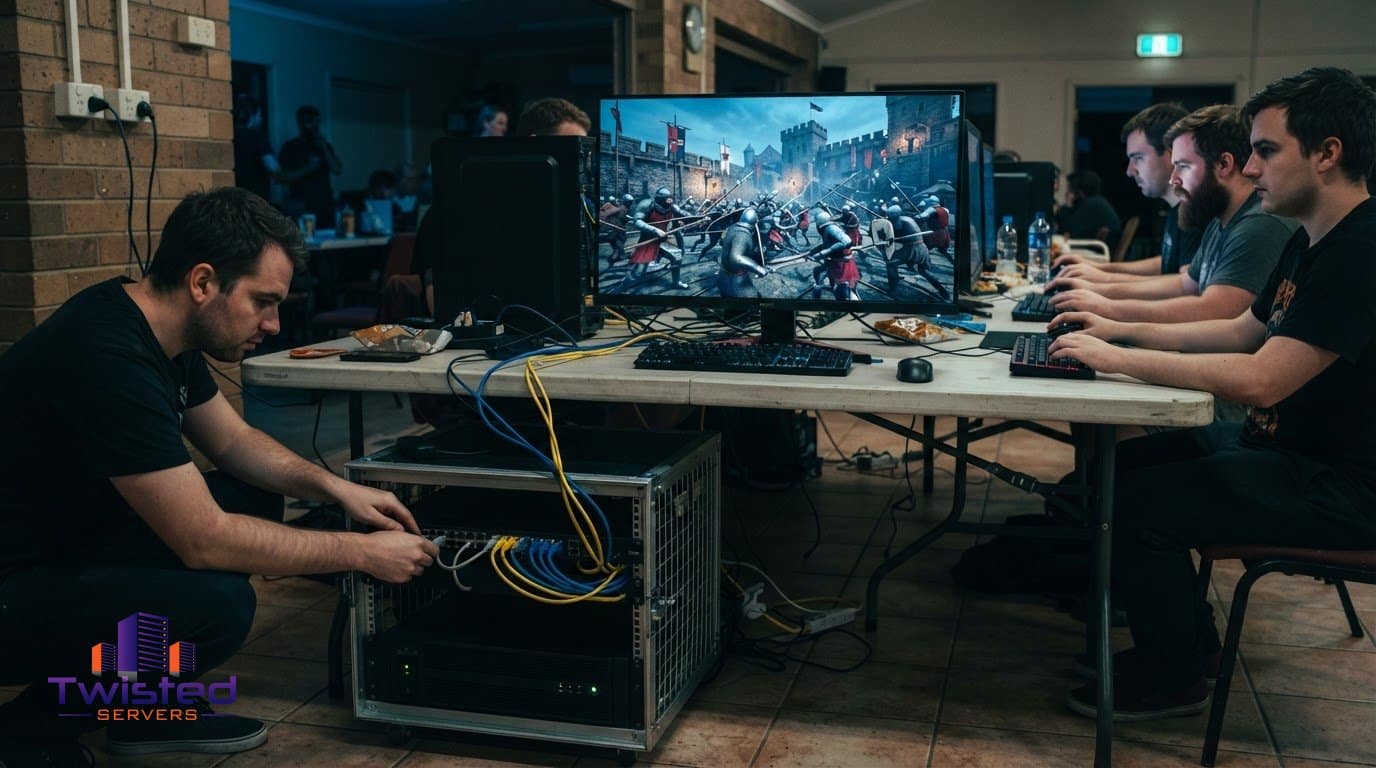

A Mordhau match depends on a server that can host the players and the session. Mordhau supports battles with up to 64 players, while hosted server arrangements give groups a place to organise multiplayer sessions. The useful choice is the one that suits your community’s needs and the amount of server management you want to take on.
Technical details can shape that choice. It helps to know what a plan’s player slots mean, how support and refund terms work, and which setup tasks are involved. Clear information makes it easier to plan for your group without getting lost in unfamiliar hosting terms.
This guide covers the main considerations for Australian Mordhau communities, from comparing hosting options to understanding server access and ongoing management. Find practical guidance on setup, joining, updates, backups and custom content, plus factors to consider when assessing support and protection. Use these points to identify what matters most to your group and decide how hands-on you want to be. The aim is to choose hosting that suits your plans and lets you focus on playing, not uncertainty before your next session.
Key Takeaways
- Understand what a hosted Mordhau server covers, and which plan details can affect your choice.
- Know what to look for in refund terms and support when you need help managing a server.
- Learn the key setup and connection steps, including the network settings players may need.
- See how backups and updates fit into keeping server settings and gameplay current.
- Compare hosting options for Australian players by considering server location, protection and support.
What is Mordhau Server Hosting?
Mordhau server hosting runs a dedicated game server that lets players join organised battles without relying on one friend’s computer to host each match. Mordhau supports battles with up to 64 players, so the server plan needs to suit the group size and the way you intend to play. Mordhau was released in 2019, and its multiplayer modes include Frontline, Battle Royale and cooperative Horde.
A hosted server keeps matches separate from an individual player’s home connection. It runs the match rules and communicates game updates to connected players, who join using their own copy of Mordhau. This gives a community a regular place to meet without relying on the same person to launch and host every session.
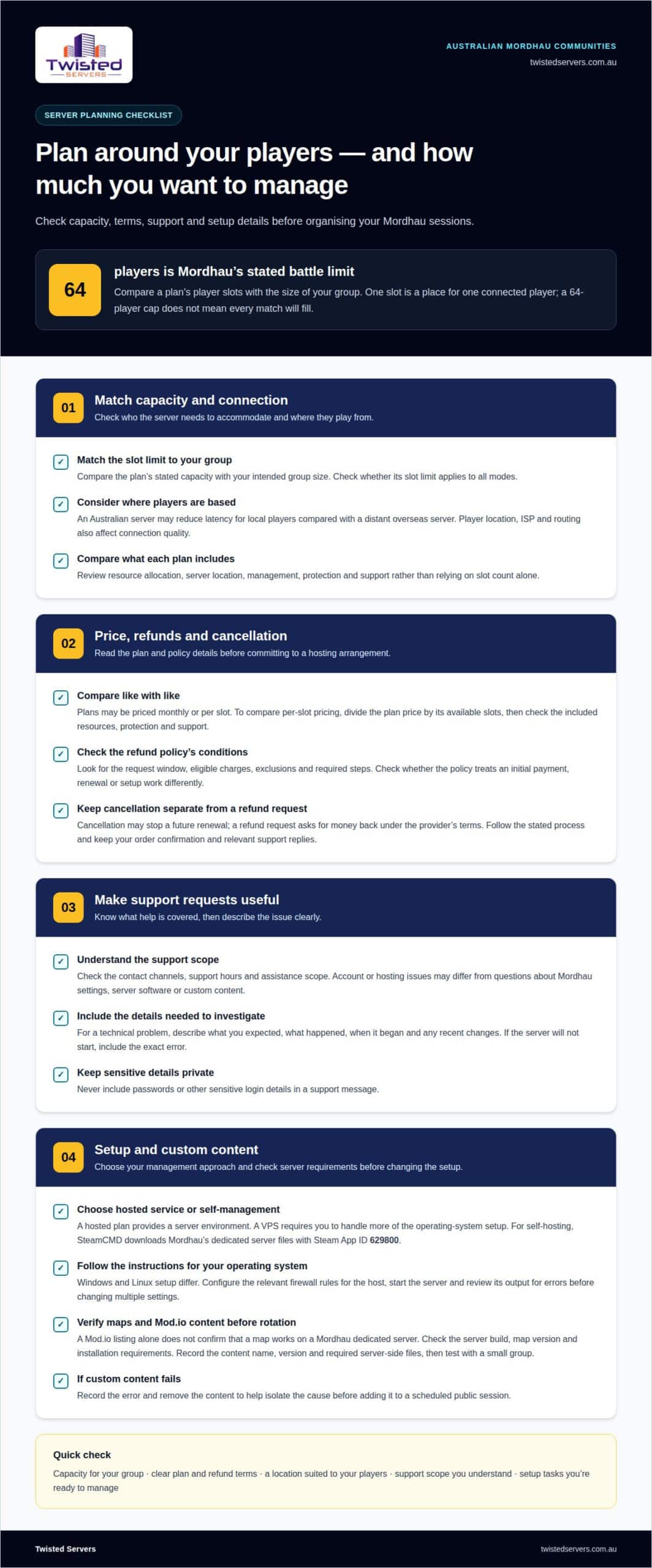
Plans can be compared by player slots, resource allocation, server location and included management. A slot is a place for one connected player. For a group planning full 64-player battles, compare the plan’s stated capacity with Mordhau’s player limit. Smaller groups may prefer a lower capacity if they do not need a full server. Check whether a plan’s slot limit applies to all modes, since a 64-player cap does not mean every match will fill.
Pricing may be presented as a monthly plan or a cost per slot. To compare per-slot pricing, divide the plan price by its available slots, then check what the plan includes. A lower cost per slot may not represent the same value if another plan includes different resources, protection or support. The price depends on the case and is given after a quote request; factors include player capacity, server location, resources, management and any selected protection or support.
Australian providers can differ in latency, DDoS defence and support. A server in Australia may reduce latency for local players compared with a distant overseas server, but routing, ISP and player location also affect connection quality. Check the hosting provider’s stated protection and support terms, and consider where your players are based. A server closer to most of the group can reduce distance-related latency, but cannot eliminate delays elsewhere in the network.
If you prefer to manage dedicated server software yourself, a virtual private server is another hosting approach; its operating-system access and setup differ from a game-specific plan. Virtual private server hosting is one option to consider for that hands-on approach. Either way, the key comparison is practical: capacity for your group, clear plan terms and a location that suits the players joining your Mordhau matches.
Refund period and customer support
Refund terms are set by each hosting provider, so review the policy before ordering. Look for the request window, eligible charges, exclusions and required cancellation steps. The policy may distinguish an initial payment from a renewal or treat setup work differently from recurring hosting. Those details determine what you can request if a service doesn’t suit your needs. Keep the order confirmation and relevant support replies together, so you can refer to the terms and dates that apply to your account.
Cancellation and refunds are separate processes. Cancellation may stop a future renewal, while a refund request asks for money back under the provider’s terms. Follow the stated process and include your account or order reference. Describe the issue clearly, including what you expected, what happened and when. If the server will not start, include the exact error rather than saying only that it is broken.
Support is valuable when a technical fault disrupts multiplayer sessions. Before choosing a plan, understand its contact channels, support hours and assistance scope. Account or hosting issues may differ from questions about Mordhau settings, server software or custom content. When reporting a problem, describe the symptoms, when they began and any recent changes. Never include passwords or other sensitive login details in a support message.
Custom maps and Mod.io content need compatibility checks. A Mod.io listing alone does not prove that a Mordhau dedicated server can load a map. Requirements may depend on the server build, map version and installation method. Before planning a custom rotation, note the content name, version and required server-side files. Test it with a small group before adding it to a scheduled public session. If it fails, record the error and remove the content to help isolate the cause.
- For a refund request: Refer to the policy, order details and relevant dates.
- For technical support: Include the error, affected setting and recent changes.
- For custom maps: Record versions and requirements, then test before adding them to rotation.
Keeping these details organised can make a support conversation clearer. If you’d like to discuss a hosting requirement, contact Twisted Servers through the contact page.
Server setup and joining guides
Start by choosing where the Mordhau server will run: on a hosting provider’s service or on a computer you manage. A hosted plan gives you a server environment, while a VPS requires you to handle more of its operating-system setup. For self-hosting, SteamCMD downloads Mordhau’s dedicated server files with Steam App ID 629800. Keep the installation directory and launch settings organised so you can locate them during maintenance.
Windows and Linux setup steps differ, particularly when installing software, starting the server process and managing firewall rules. Follow instructions for the operating system and server files you are using. On Windows, add the required inbound rules in Windows Firewall. On Linux, configure the host firewall to allow the relevant traffic. After installation, start the server and review its output for errors before changing multiple settings.
For Mordhau traffic, allow UDP port 7777 for game connections, UDP port 15000 for beacon traffic and UDP port 27015 for query traffic. These ports serve different purposes, so opening only one may leave the server unreachable or absent from queries. Add the required rules to the server firewall and, if a router sits between the server and internet, forward the same UDP ports to the server’s local IP address.
Keep the forwarding destination stable. If your router sends traffic to the wrong local address, the server may appear offline after a network change. Reserve the server computer’s local IP in the router, then point each forwarding rule to that address. Avoid placing the computer in a router DMZ, which exposes it more broadly. Apply only the rules needed for the server, not unrelated ones.
Test access from another connection, not just the computer running the server. Search for the server name in Mordhau’s browser and check whether it appears and accepts connections. If it appears but players cannot join, confirm that the server process is running, then review the forwarding destination and firewall rules. A player can also try joining through the game console using the server’s IP address.
For a hosting-provider setup, the provider’s process determines how server files and settings are made available. Record the server name, selected mode, map and connection details for your group. If you need setup support, share the operating system, App ID, configured ports and exact error message. These details give support a clear starting point and help distinguish a launch issue from a connection problem.
Yes. You can run the server on a computer you manage, using SteamCMD to download the dedicated server files; configure the firewall and, if needed, forward UDP ports 7777, 15000 and 27015 to the server. Test access from another connection to confirm players can find and join it.
Automatic backups and updates
A backup is a copy of server files and settings that can help restore an earlier configuration. For a Mordhau server, it may include configuration files, server settings and custom content installed by the operator. A backup does not prevent attacks or keep a live server running; it provides a recovery point if files are lost or changed unexpectedly.
Automatic backups run on a schedule set by the hosting arrangement or server administrator. Before relying on them, find out what they capture, where copies are stored and how restoration works. A copy stored on the same server, for example, may not help if that machine’s storage fails. Depending on the backup design, separate storage can provide another recovery route.
Storage needs depend on what is copied and how many restore points are kept. A backup of configuration files takes less space than one that also copies larger game or custom-content files. Keeping dated versions can help you roll back after a faulty change, but each copy uses storage. A retention policy balances recovery options against available capacity.
Before a planned change, record the current configuration and create a fresh backup if the tools allow it. This is useful before changing map rotation, server settings or custom files. Confirm that the copy appears in the expected storage location. A backup that has never been tested may not restore cleanly, so practise restoring it in a safe environment before relying on it during an outage.
Plan updates separately. Mordhau game updates and dedicated server files can change independently of saved configurations. Read the update details, preserve current settings, apply the update during a quiet period, then start the server and test access. If a new build causes problems, a backup may help restore files or settings, but it will not necessarily roll back the game version.
Depending on the hosting service, a control panel may provide tools to manage server files, scheduled tasks or backups. Treat each function separately: an update setting does not mean backups are running, and a backup schedule does not install game updates. Check task status and the last completed run, and keep a brief record of changes and results.
- Before changes: Save the current Mordhau configuration and note the files affected.
- After a backup: Confirm the copy completed and its storage location.
- After an update: Start the server and test its settings before inviting players.
Clear backup and update procedures make recovery more manageable, but keep their limits in mind. Backups support restoration; they do not replace DDoS protection, which addresses malicious network traffic rather than lost or altered files.
What are the best Mordhau server hosting providers available in Australia?
No single hosting provider suits every Mordhau group. The right choice depends on where your players are, the capacity you need and how much server management you want to handle. Match the plan’s player slots to your intended match size, then compare location, DDoS protection, support terms and included tools.
Location matters because network distance can affect latency. An Australian server may offer local players a shorter route than a distant overseas server, though routing, ISP and player location also affect results. Consider where most members connect from when choosing a location. A region name alone cannot predict every player’s connection, especially when the group is spread across the country.
Compare protection by checking what the provider says it covers. DDoS protection aims to mitigate attacks that send disruptive traffic towards a server, but the term alone does not explain its scope. Look for clear service details and escalation steps. Check support terms too, including contact channels, hours and whether staff assist with hosting issues, server configuration or both.
Next, consider how the service handles day-to-day administration. A managed game server plan may suit groups that want less operating-system work. A virtual or dedicated server may suit administrators who want greater control, but requires more hands-on setup. For a Mordhau community, useful details include how players join, how settings are changed, and how updates and backups are handled.
Compare prices carefully. Weigh the full plan charge against player capacity and included features instead of judging by the headline price alone. Note whether the price is monthly, what billing period applies and whether the terms list additional charges. Cost per slot can help compare plans with different capacities, provided you also account for included management and protection.
- For a casual group: prioritise straightforward administration and capacity suited to your regular matches.
- For a community server: weigh support, protection, update handling and configuration access together.
- For hands-on administrators: compare the control available through each hosting type against the work involved.
Use those criteria to shortlist Australian options based on your group’s actual needs, not broad “best host” claims. A provider’s published terms should make capacity, location, protection and support easy to compare. To explore an Australian option for running a Mordhau community, review the game server hosting details.
Compare providers by checking server location, the stated scope of DDoS protection, and the support channels, hours and assistance offered. An Australian server may provide a shorter route for local players, but routing, ISP and player location also affect latency.
Twisted Servers
Twisted Servers offers Australian gamers and community organisers hosting options for multiplayer groups. For a Mordhau community, start with your expected player capacity, preferred level of server management and where players are based. These details help you consider whether Game Server Hosting, VPS Hosting or Dedicated Server Hosting fits your plans.
Twisted Servers offers different approaches to server management, from a game-focused service to server environments with greater control. The right fit depends on the work you want to handle and the setup your community needs. Discuss those requirements clearly rather than assuming every group needs the same arrangement.
Planning a Mordhau server? Contact Twisted Servers to discuss your hosting needs.
Plan your next Mordhau community session
First decide how you want the community to run between matches: who changes settings, how much control administrators need and what level of server management suits the group. These choices shape the hosting setup more than a feature list alone. Set out your expected player capacity, preferred server location and management responsibilities before choosing an approach.
Planning your Mordhau server hosting this way gives you a clearer basis for discussing requirements and helps avoid unexpected work for administrators. Twisted Servers offers Game Server Hosting, VPS Hosting and Dedicated Server Hosting, giving you different approaches to consider. The right fit depends on the environment and management control your group needs; no single option suits every organiser.
If you’re ready to map out your requirements, talk with Twisted Servers about hosting. Share how your group expects to play and manage its server, and we can discuss the relevant hosting path. A thoughtful setup gives organisers a clear starting point for building regular sessions around their community.
Frequently Asked Questions
What player slot limits and performance specs do Mordhau server plans include?
Mordhau supports multiplayer battles with up to 64 players, but a hosting plan may offer a lower slot limit. Slots count simultaneous player connections; they don’t specify processor, memory or network capacity. Compare these details separately, since server performance depends on both the plan’s resources and the demands of your settings. For a private group, estimate typical attendance before choosing capacity.
How do I set up a Mordhau dedicated server on a hosting provider or VPS?
Choose between a game-focused hosting plan and a VPS that you administer yourself. On a VPS, arrange a compatible operating system, install SteamCMD, then download the dedicated server using Mordhau’s Steam App ID, 629800. Configure the launch settings and network access, then test server startup. With a hosting plan, follow its setup process and identify which configuration tasks remain yours to manage.
How do I configure Mordhau server settings, maps, modes, and passwords?
Use the dedicated server’s supported configuration options to set the server name, mode, map selection and password. Mordhau modes include Frontline and Horde, so choose settings that suit your group before inviting players. Make one change at a time, restart the server as required and test the result privately. Keep a copy of working settings so you can restore them after later changes.
Does Mordhau support mods, custom maps, and admin tools on dedicated servers?
Support for custom content depends on the dedicated server build and each item’s requirements. A Mod.io listing alone does not establish that a custom map will load on your server. Check the content version, server-side installation requirements and whether players need matching files. Treat admin tools separately: confirm how permissions are assigned, limit access to trusted administrators and test the tools before using them in a public match.
How do Australian Mordhau server hosting providers compare on latency, DDoS protection, and support?
An Australian server may reduce distance-related latency for nearby players, though routing, ISP and player location also affect results. DDoS protection and support differ by provider, so compare stated service terms, contact channels, support hours and assistance scope.
Disclaimer
Game titles, trademarks, logos and related assets are the property of their respective owners. Twisted Servers is an independent hosting provider and is not affiliated with or endorsed by the developers or publishers of the games mentioned unless otherwise stated. Information is provided as a general guide and may change as games, software and hosting services are updated.

